/*
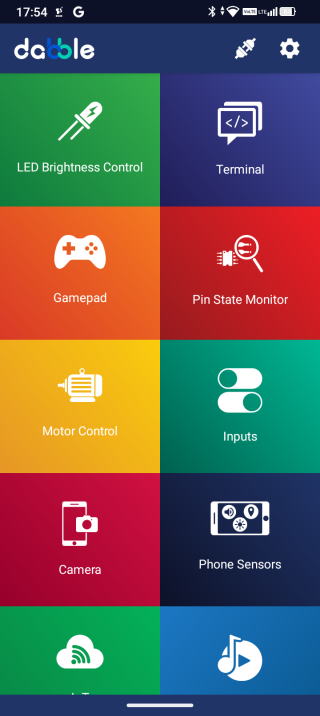
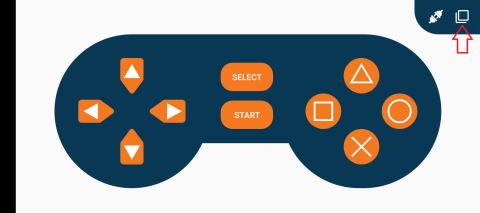
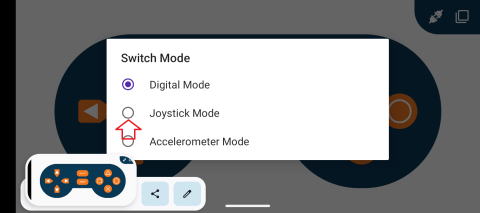
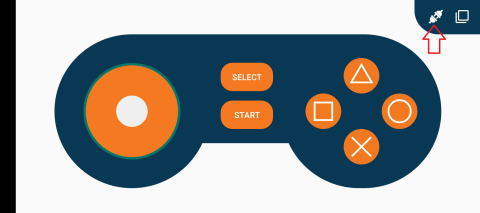
Gamepad module provides three different mode namely Digital, JoyStick and Accerleometer.
You can reduce the size of library compiled by enabling only those modules that you want to
use. For this first define CUSTOM_SETTINGS followed by defining INCLUDE_modulename.
Explore more on: https://thestempedia.com/docs/dabble/game-pad-module/
*/
#define CUSTOM_SETTINGS
#define INCLUDE_GAMEPAD_MODULE
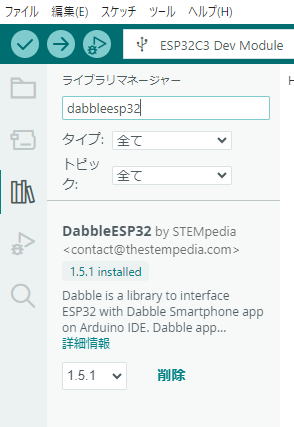
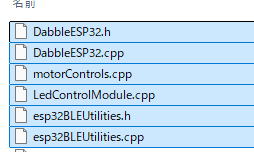
#include <DabbleESP32.h>
#include <ESP32Servo.h>
#define SERVO_PIN D6
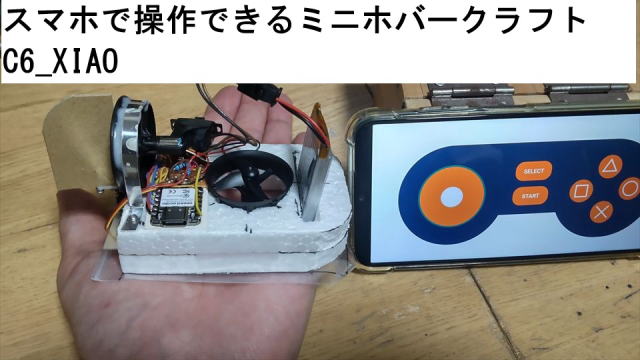
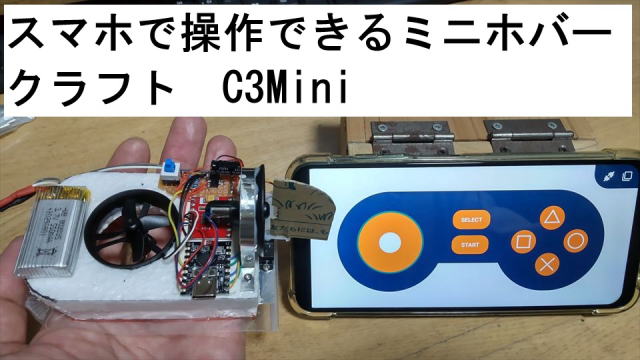
#define AIN1 D9 //揚力ファン
#define AIN2 D10
#define BIN1 D8 //推力ファン
#define BIN2 D7
Servo myServo;
int Fstart=0;
int Fford=1;
int Vdown=0;
void setup() {
// put your setup code here, to run once:
Serial.begin(115200); // make sure your Serial Monitor is also set at this baud rate.
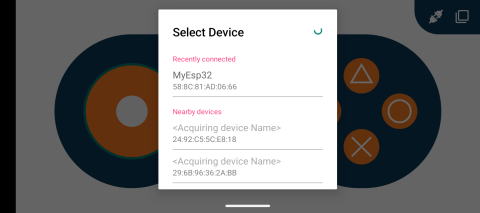
Dabble.begin("MyEsp32c6"); //set bluetooth name of your device
Serial.println("Start");
myServo.attach(SERVO_PIN);
pinMode(LED_BUILTIN, OUTPUT); //内蔵LEDを有効化
pinMode(AIN1, OUTPUT);
pinMode(AIN2, OUTPUT);
pinMode(BIN1, OUTPUT);
pinMode(BIN2, OUTPUT);
pinMode(A0, INPUT);
digitalWrite(LED_BUILTIN,HIGH); //内蔵LED消灯 LOWで点灯する
}
int pwmB=0;
int pwmA=0;
void hovercont(){
Dabble.processInput(); //this function is used to refresh data obtained from smartphone.Hence calling this function is mandatory in order to get data properly from your mobile.
//Serial.print("KeyPressed: ");
if (GamePad.isUpPressed())
{
//Serial.print("Up");
}
if (GamePad.isDownPressed())
{
//Serial.print("Down");
}
if (GamePad.isLeftPressed())
{
//Serial.print("Left");
}
if (GamePad.isRightPressed())
{
//Serial.print("Right");
}
if (GamePad.isSquarePressed())
{
//Serial.print("Square");
if(pwmA>0){pwmA=pwmA-1;
analogWrite(AIN1, pwmA); // IN1にPWM信号
analogWrite(AIN2, LOW);
delay(100);
} // IN2をLOWにして正回転
}
if (GamePad.isCirclePressed())
{
//Serial.print("Circle");
if(pwmA<255){pwmA=pwmA+1;
analogWrite(AIN1, pwmA); // IN1にPWM信号
analogWrite(AIN2, LOW);
delay(100);
}
}
if (GamePad.isCrossPressed())
{
//Serial.print("Cross");
Fford=0;
}
if (GamePad.isTrianglePressed())
{
//Serial.print("Triangle");
Fford=1;
}
if (GamePad.isStartPressed())
{
//Serial.print("Start");
if(Fstart==0){
Fstart=1;
pwmA=120;
analogWrite(AIN1, pwmA); // IN1にPWM信号
analogWrite(AIN2, LOW); // IN2をLOWにして正回転
}
}
if (GamePad.isSelectPressed())
{
//Serial.print("Select");
if(Fstart==1){
Fstart=0;
analogWrite(AIN1, LOW); // IN1にPWM信号
analogWrite(AIN2, LOW); // IN2をLOWにして正回転
}
}
//Serial.print('\t');
int a = GamePad.getAngle();
if (a != 0){
//Serial.print("Angle: ");
//Serial.print(a);
//Serial.print('\t');
if(pwmB!=0){
if(a <181){
int out=map(a,0,180,30,150);
myServo.write(out);
}
if(a>180){
int out=map(a,181,360,150,30);
myServo.write(out);
}
}
}
int b = GamePad.getRadius();
//Serial.print("Radius: ");
//Serial.print(b);
//Serial.print('\t');
b=abs(b);
int XB=map(b,0,7,0,255);
if (XB!=pwmB){
pwmB=XB;
if(Fford==1){
analogWrite(BIN1, pwmB); // IN1にPWM信号
analogWrite(BIN2, LOW); // IN2をLOWにして正回転
}
else{
analogWrite(BIN1, LOW); // IN1にPWM信号
analogWrite(BIN2, pwmB); // IN2をLOWにして正回転
}
if(pwmB==0){myServo.write(90);}
}
float c = GamePad.getXaxisData();
//Serial.print("x_axis: ");
//Serial.print(c);
//Serial.print('\t');
float d = GamePad.getYaxisData();
//Serial.print("y_axis: ");
//Serial.println(d);
//Serial.println();
}
void loop() {
uint32_t Vbatt = 0;
for(int i = 0; i < 5; i++) {
Vbatt += analogReadMilliVolts(A0); // Read and accumulate ADC voltage
}
float Vbattf = 2 * Vbatt / 5 / 1000.0; // Adjust for 1:2 divider and convert to volts
//Serial.println(Vbattf, 3); // Output voltage to 3 decimal places
if (Vbattf<3.4){
Vdown=1;
analogWrite(BIN1, LOW); // IN1に停止
analogWrite(BIN2, LOW); // IN2をLOWにして正回転
analogWrite(AIN1, LOW); // IN1に停止
analogWrite(AIN2, LOW); // IN2をLOWにして正回転
}
if (Vdown!=1){
hovercont();
}
else{digitalWrite(LED_BUILTIN,LOW);}//電圧が低くなったら、LEDを点灯させる
}